
Your AI built the site. Way Cloud puts it online.
Connect Claude, ChatGPT, Gemini or Cursor to Way Cloud and ask it to publish. You see a free preview, pay by Pix or card, and the site goes to servers in Brazil with HTTPS.
From chat to live site in four steps
No FTP, no server setup and no DNS. Your AI talks to Way Cloud and you just approve.
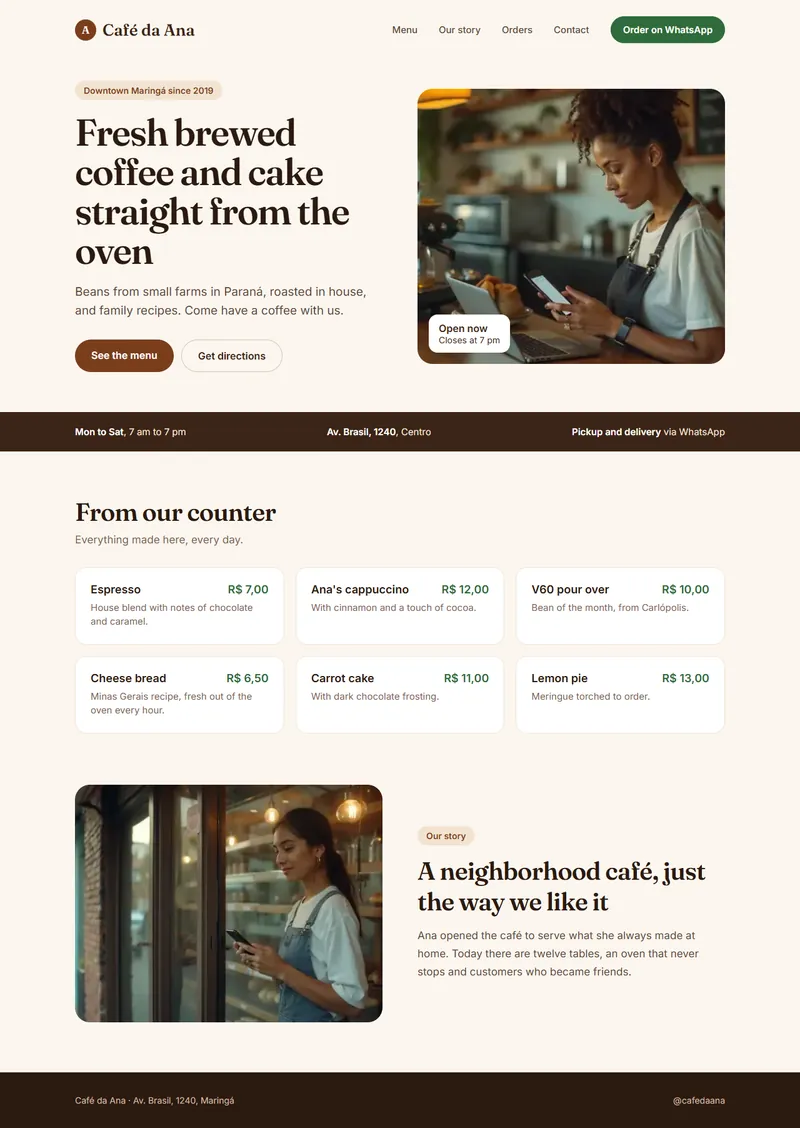 Way Cloud preview · temporary
 Pix
Pix Card
CardChoose how your AI will publish
There are three paths to the same result. Use the one that fits the tool you use.
The AI publishes on its own, straight from the chat
For Claude, ChatGPT, Gemini, Cursor, Copilot, Windsurf and any AI that supports an MCP connector. This is the address:
https://waypreview.com.br/mcpclaude mcp add --transport http waycloud https://waypreview.com.br/mcp
{ "mcpServers": { "waycloud": { "url": "https://waypreview.com.br/mcp" } } }{ "mcpServers": { "waycloud": { "httpUrl": "https://waypreview.com.br/mcp" } } }For Codex and agents that run commands
One command zips the project, creates the preview and, with an active plan, publishes. It never uploads .env, .git or node_modules.
npx waycloud deployFor Lovable, Bolt, v0 and AIs without internet access
Download the project as a .zip, drag it onto the upload page and see the preview right away. No setup needed.
Open the upload pageBuilt for people who create with AI and want to sleep easy
You don’t need to know anything about servers. We handle the boring part and the AI follows rules that protect you.
See your site live before you pay
Static sites and sites built with React, Vue or Vite get a test address for 24 hours. You check it, show it to your client and only then decide.
Way Cloud preview · temporaryThe AI never sees your data
Your CPF (tax ID), card and password stay out of the chat. The AI only hands over the link, and sign-up and payment happen on a secure Way Cloud page.
PixCardCopy Pix codeVerified files
Every upload goes through antivirus. .env files and keys never reach the server.
Updating is just asking again
The switch is instant and, if something fails, the previous version stays live.
Domain without touching DNS
Connect your domain or register a new one and pay by Pix.
Servers in Brazil
Automatic HTTPS and human support.
From simple sites to systems with a back end
The AI analyzes the project first and tells you the right path. No finding the problem after you’ve paid.
Sites, apps and WordPress
The AI uploads the built folder and the site goes live with HTTPS. WordPress goes along with its database, already configured.
Apps with their own back end
For APIs, Node servers, Next.js with SSR and Laravel. The analysis suggests the VPS size and the AI publishes on its own through the Coolify panel.
The AI picks the right plan for your project
You don’t have to decide anything beforehand. The analysis suggests the right hosting or server size, and you see the plan and the preview before you pay.
Sites in HTML, React, Vue, Vite, PHP and WordPress.
from Plan suggested by the project analysis
- WordPress with database
- Your own domain without touching DNS
- Rolls back to the previous version if it fails
Node, Laravel, APIs and larger projects, with the Coolify panel.
from- Size suggested by the project analysis
- Project published on its own after payment
- Root access to the server
- Servers in São Paulo
No fee per publish. On annual hosting, the discount is 15%.
Frequently asked questions
If your question isn’t here, talk to our team on WhatsApp.
Talk to a specialistDo I need to know how to code?
No. If your AI built the site, it publishes it too. You connect Way Cloud once, ask it to publish and approve the preview. No FTP, no control panel and no server setup.
Which AI tools work?
Claude, ChatGPT, Gemini, Cursor, GitHub Copilot, Windsurf and any tool that supports an MCP connector. Codex and other terminal agents use the npx waycloud deploy command. Lovable, Bolt and v0 work through the .zip upload.
Is the preview really free?
Yes. Static sites and built apps (React, Vue, Vite) get a test address that stays up for 24 hours, with no sign-up and no card. You only pay if you want to publish for good.
Does the AI have access to my payment details?
No. The AI never asks for or receives your CPF (tax ID), card or password. It hands over a link, and sign-up and payment happen on a secure Way Cloud page, in your browser.
Can I use my own domain?
Yes. Connect a domain you already have, registered at Registro.br or elsewhere, or register a new one with Way Cloud and pay by Pix. When you register through Way Cloud, the site comes already configured, with no DNS work.
How do I update the site later?
Ask the AI to publish again. The version switch is instant and, if something goes wrong while publishing, the previous version simply stays live.
My project uses WordPress, a database or Node. Now what?
WordPress publishes straight to hosting, with the database imported during publishing. For Node with a server, Laravel and larger projects, the analysis suggests a VPS of the right size before you pay, and the AI publishes to it through the Coolify panel.
What if something goes wrong?
After publishing, the AI checks that the site responds, that HTTPS is active and that there are no broken links. If you need help, human support answers on WhatsApp, every day from 9am to 8pm, weekends included, and by ticket at any time.
Your AI already built the site. Now put it online.
Connect Way Cloud in a minute and see the free preview before you pay.
 Free preview
Pix or card
Servers in Brazil
Free preview
Pix or card
Servers in Brazil